


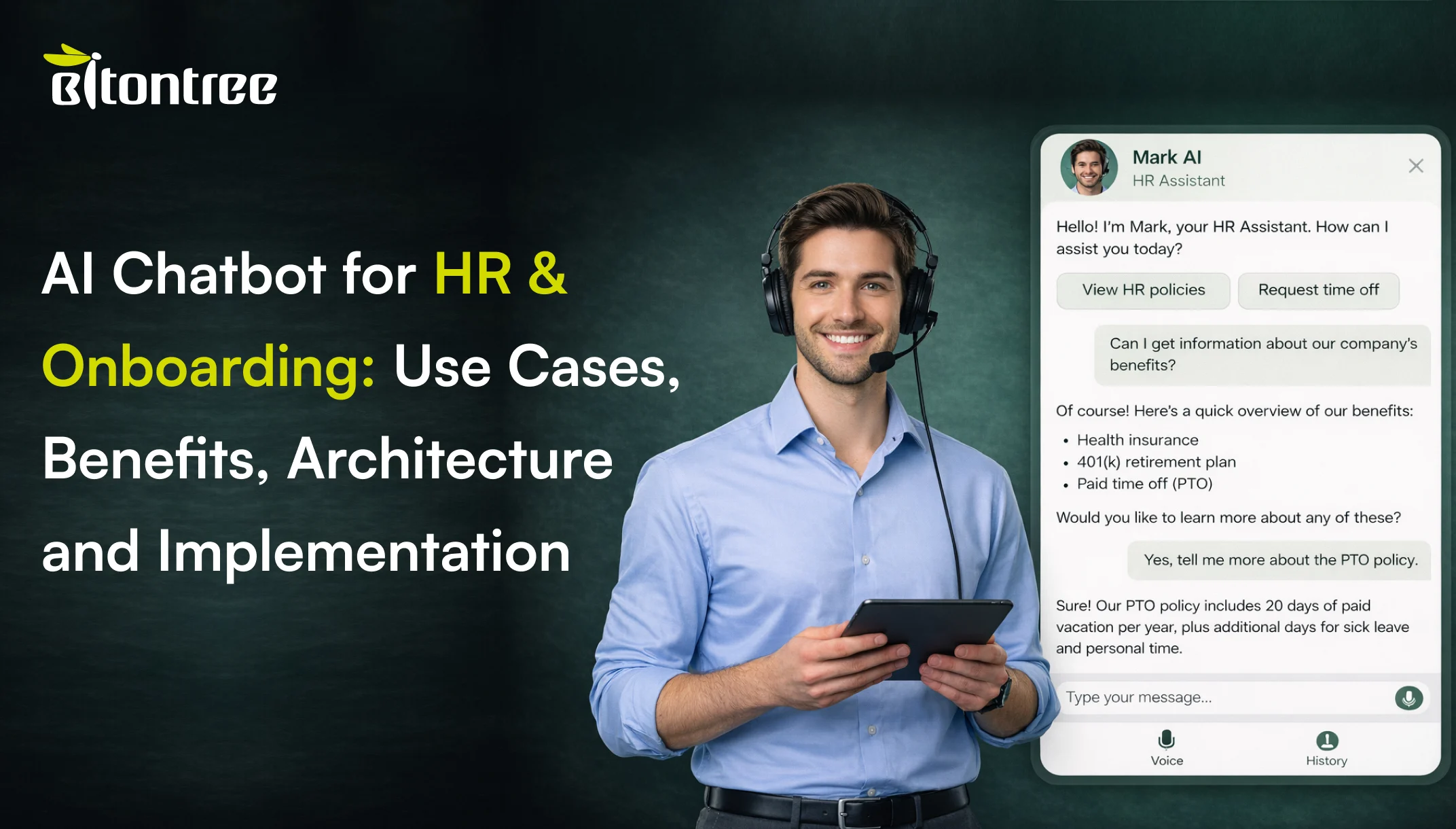
HR teams answer the same questions every single day. How many leave days do I have left? What is the reimbursement policy? Where do I submit my timesheet? How do I enroll in benefits? When is the next pay cycle?
These are not complex problems. They are repetitive, high-volume, and completely automatable. An AI chatbot for HR handles them instantly giving employees accurate answers from your actual policies, 24/7, without a single HR team member lifting a finger.
The numbers back this up. According to Gartner, 75% of HR inquiries in 2026 will be initiated through conversational AI platforms. Deloitte’s Global Human Capital Trends report found that HR teams spend 40-50% of their time answering routine employee questions. For a 500-person company, that is the equivalent of 1-2 full-time HR staff doing nothing but answering the same 20 questions on repeat.
But onboarding is where the real cost hides. The average cost to onboard a new employee is $4,100 (SHRM). It takes 8-12 months for a new hire to reach full productivity. When onboarding is inconsistent different managers giving different instructions, critical steps getting missed, new hires waiting days for IT setup early attrition spikes. 20% of employee turnover happens in the first 45 days (Work Institute).
This guide covers what an AI chatbot for HR and onboarding actually does, the specific use cases it handles across the employee lifecycle, the measurable benefits it delivers, and how to implement one that resolves 60-70% of HR queries without human involvement. We also build AI chatbots for customer support and lead generation chatbots but HR and onboarding is where the internal ROI is highest per employee.
What Is an AI Chatbot for HR?
An HR chatbot is a conversational AI system that answers employee questions, automates routine HR processes, and guides new hires through onboarding using your actual company policies, handbooks, and HRIS data as its knowledge base.
Unlike a static intranet FAQ page that nobody reads, an AI chatbot for employee support holds a real conversation. An employee asks “how much PTO do I have left?” and the bot checks their balance in BambooHR or Workday and responds with the exact number in under two seconds. Another employee asks “what’s the parental leave policy?” and the bot retrieves the relevant section from your employee handbook using retrieval-augmented generation, then summarizes it in plain language.
Modern systems are built on three core technologies:
Large language models (LLMs) like GPT-4o, Anthropic Claude, or Meta Llama that understand employee questions in natural language and generate contextual, human-sounding responses.
Retrieval-augmented generation (RAG) pipelines built on LangChain with vector databases like Pinecone or Weaviate that ground every response in your actual employee handbook, policy documents, SOPs, and knowledge base preventing hallucination.
HRIS and IT system integration with BambooHR, Workday, SAP SuccessFactors, ADP, Gusto, ServiceNow, Jira, and Active Directory that lets the bot pull live employee data, submit requests, and trigger workflows not just answer questions.
The result is an always-available HR assistant that handles the bulk of routine employee queries saving 15-25 hours of HR team time per week automates multi-step processes like onboarding checklists, and frees your HR team to focus on work that actually requires a human culture, conflict resolution, strategic hiring, and employee development.
Why HR and Onboarding Need AI Chatbots
HR automation is not about replacing your HR team. It is about freeing them from the work that does not need them.
The repetitive query problem
HR teams at mid-size companies (200-1000 employees) handle 50-200+ internal queries per week. More than half are the same 20 questions asked in different ways: PTO balance, reimbursement process, benefits enrollment, payroll dates, remote work policy, holiday schedule. At a ratio of 1 HR staff per 75-100 employees, your most senior HR business partner is spending their Tuesday morning explaining the expense policy for the 300th time instead of working on retention strategy.
The onboarding consistency problem
Every new hire should get the same onboarding experience. In practice, it depends on which manager they report to, which office they join, and whether the HR team remembers to send all the documents. Critical steps get missed. IT access takes three days instead of three hours. Benefits enrollment deadlines pass without a reminder. A structured AI-guided onboarding eliminates all of this.
The after-hours and remote employee problem
Your HR team works 9-5. Your employees have questions at 7 AM, at 11 PM, and on weekends. Remote employees in different time zones have questions when your office is closed. A policy question on Friday night sits unanswered until Monday morning. The bot handles every question instantly, regardless of when or where it is asked.
The scaling problem
When your company grows from 200 to 500 employees, HR query volume does not grow linearly it explodes. New hires have more questions. More employees means more leave requests, more benefits questions, more IT tickets. Hiring another HR coordinator costs $55,000-70,000 per year. The chatbot handles 5x the volume at a fraction of the cost.
The knowledge loss problem
When your most experienced HR person leaves, their institutional knowledge walks out the door with them. Which exceptions apply to the remote work policy? How does the reimbursement process actually work for international employees? What is the undocumented process for contractor onboarding? An AI chatbot trained on your complete HR knowledge base retains everything, permanently.
In short: HR teams spend 40-50% of their time on repetitive queries, onboarding is inconsistent across managers, remote employees cannot get answers outside business hours, and institutional knowledge disappears when people leave. An AI chatbot for HR solves all four.
Key Use Cases of AI Chatbots for HR & Onboarding
An AI chatbot for HR and onboarding goes far beyond answering “what’s the holiday schedule?” Here are the specific use cases that production deployments handle across the full employee lifecycle.
Policy and Handbook Q&A
The chatbot answers any question about company policies by retrieving the relevant section from your employee handbook, policy documents, and SOPs using retrieval-augmented generation. Leave policies, remote work rules, dress code, expense limits, code of conduct, benefits eligibility grounded in your actual documents, not hallucinated. When the policy is ambiguous, the bot says so and routes to HR.
New Employee Onboarding Automation
The employee onboarding chatbot guides every new hire through a structured onboarding journey: welcome message on day one, document collection (tax forms, ID verification, emergency contacts), IT access requests, benefits enrollment walkthrough, mandatory training schedule, team introductions, and 30/60/90-day check-ins. Every step is tracked. Nothing gets missed. The experience is identical whether you are onboarding one person or fifty.
Leave and Attendance Management
Employees check their PTO balance, submit leave requests, and get instant approval status all through a conversation with the bot. The chatbot connects to your HRIS (BambooHR, Workday, ADP, Gusto) and pulls real-time balance data. Managers get notified. Calendar conflicts are flagged. No more email chains or spreadsheet tracking.
IT Helpdesk Automation
Password resets, VPN access, software installation requests, printer troubleshooting, and “my laptop won’t connect to WiFi” these queries account for 30-40% of internal support volume. The internal helpdesk chatbot resolves the common ones automatically through Active Directory, ServiceNow, or Jira integration and creates structured tickets for everything else. One company reduced IT ticket resolution time from 4 hours to 12 minutes for Tier-1 issues.
Benefits Enrollment and Inquiries
Open enrollment is the most confusing time of year for employees and the most stressful for HR. The chatbot walks employees through plan comparisons, explains coverage differences in plain language, answers “what happens if I add my spouse?” and “which plan covers my medication?” questions from your actual benefits documents, and sends enrollment deadline reminders. One company saw benefits enrollment completion jump from 72% to 96% after deploying a chatbot during open enrollment.
Expense and Reimbursement Processing
The chatbot explains the reimbursement policy, walks employees through the submission process step by step, validates receipt formats before submission, checks approval status in real time, and answers “where is my reimbursement?” without anyone pinging the finance team. It connects to Expensify, SAP Concur, or your custom expense system.
Payroll and Compensation Queries
Employees ask about pay dates, tax withholdings, bonus timelines, salary advance procedures, and W-2 availability. The bot answers from payroll system data (ADP, Gusto, Paychex) in real time. Sensitive compensation data is handled through authenticated conversation with role-based access the employee sees their own data, nobody else’s.
Performance Review Process Guidance
The chatbot walks employees and managers through your performance review process: timeline, self-assessment instructions, peer review submission, calibration dates, and follow-up action items. It sends reminders before each deadline and answers process questions without HR sending a company-wide email that everyone ignores.
Internal Job Postings and Referrals
The chatbot surfaces open internal positions based on the employee’s department, skills, and career interests. It explains the internal transfer process, submits referral nominations, and tracks referral bonus status. This keeps internal mobility visible without HR manually emailing every opening.
Employee Feedback and Pulse Surveys
The chatbot conducts pulse surveys through natural conversation instead of email links that get 15% response rates. It asks 2-3 targeted questions, captures sentiment and open-ended feedback, routes negative scores for manager follow-up, and feeds data to your analytics dashboard. Conversational surveys consistently achieve 50-70% completion rates versus 15-25% for email surveys.
How AI Chatbots for HR Work: Technical Architecture
Understanding the architecture helps you evaluate vendors and set realistic expectations. Here is how an HR chatbot works from the moment an employee asks a question to the moment they get an answer or an action is completed.
Step 1: Multi-channel input
The employee sends a message via Slack, Microsoft Teams, the company intranet, a web widget, WhatsApp, SMS, or email. The channel does not matter. Our omnichannel chatbot development] approach uses a single AI backend across all channels. An employee who asks a question in Slack at 9 AM can follow up in Teams at 2 PM without losing context.
Step 2: Natural language understanding
The NLP layer parses the employee’s message to extract intent and entities. “How many vacation days do I have?” and “check my PTO balance” and “what’s my remaining time off?” are all understood as the same request. The system handles slang, abbreviations, typos, and mid-sentence corrections.
Step 3: Knowledge retrieval through RAG
For policy questions, the retrieval-augmented generation pipeline retrieves relevant sections from your employee handbook, policy documents, and SOPs indexed in Pinecone or Weaviate, orchestrated by LangChain. The bot answers from your documents, not from its general training. When it cannot find a relevant source, it says so instead of guessing.
Step 4: Live HRIS and system queries
For employee-specific questions, the bot queries your systems in real time: PTO balance from BambooHR or Workday, payroll data from ADP or Gusto, ticket status from ServiceNow or Jira, benefits information from your benefits platform. This happens mid-conversation, transparently.
Step 5: LLM response generation
The LLM (GPT-4o, Claude, or Llama) generates a natural, contextual response grounded in the retrieved data. System prompt engineering defines the bot’s tone professional but approachable, matching your company culture. Complex policy language is simplified into plain-English answers.
Step 6: Action execution
The bot does not just answer questions it takes action. It submits leave requests, creates IT tickets, triggers onboarding workflows, sends benefits enrollment forms, updates employee records, and routes approvals to the right manager. Every action includes confirmation, error handling, and audit logging.
Step 7: Resolution or human handoff
If resolved, the bot confirms the answer or action with the employee. If the query needs HR intervention sensitive topic, policy exception, complaint, or request beyond the bot’s scope it routes to the appropriate HR team member with the full conversation transcript, employee context, and issue classification. The employee never has to repeat themselves.
Step 8: Continuous learning and analytics
Every conversation feeds the analytics engine. Top query categories, resolution rates, escalation reasons, and employee satisfaction scores are tracked in real time. This data identifies new automation opportunities: if 200 employees ask the same question about a policy change, that is a signal to update the knowledge base and send a proactive communication.
Benefits of Using AI Chatbots for HR & Onboarding
Here is what actually changes when you deploy an AI chatbot for HR not in theory, but in production.
Your HR team stops answering the same questions on repeat
Right now, your HR business partners spend 40-50% of their week on questions that have documented answers. PTO balance. Reimbursement process. Benefits eligibility. Holiday schedule. That is not what you hired them for. When the chatbot deflects the top 20 repetitive query types, your HR team works on what actually moves the needle: retention strategy, culture building, organizational design, and employee development. The work becomes more strategic. The burnout drops. The team you invested in finally does the job you hired them for.
Your onboarding becomes consistent and complete
Every new hire gets the same structured onboarding experience, regardless of which manager they report to or which office they join. Day-one welcome. Document collection. IT setup. Benefits walkthrough. Training schedule. 30/60/90-day check-ins. Nothing gets missed because a manager forgot or got busy. No new hire waits three days for someone to answer their Slack message. The experience is consistent, complete, and fully tracked whether you are onboarding one person or fifty in the same week.
Your employees get answers at midnight, not Monday morning
40% of employee questions happen outside the HR team’s working hours. Remote employees in different time zones. Night-shift workers. People doing personal admin on weekends. A policy question asked at 11 PM on Friday used to sit unanswered until Monday at 9 AM. Now it gets answered in two seconds. The experience shifts from waiting and hoping to asking and knowing and employee satisfaction with internal support consistently rises 30-40% after deployment.
Your IT helpdesk stops drowning in Tier-1 tickets
Password resets alone account for 20-30% of IT helpdesk volume. Add VPN issues, software access requests, and printer problems, and 50-60% of IT tickets are repetitive. The chatbot resolves them automatically through Active Directory and ServiceNow integration. Tier-1 resolution time drops from hours to minutes. Your IT team stops being a reactive help desk and starts doing the engineering and infrastructure work you actually need from them.
Your benefits enrollment actually gets completed
Open enrollment is stressful because employees do not understand their options and HR does not have time to explain them individually. The chatbot walks every employee through plan comparisons in plain language, answers their specific questions from your actual benefits documents, and sends deadline reminders before the window closes. Employees ask questions at their own pace, on their own schedule, without sitting through a one-hour webinar they will forget half of. Enrollment completion rates typically jump from the 70s into the mid-90s.
Every internal interaction becomes data you can act on
When employees email HR, the questions disappear into inboxes. When they ask the chatbot, every query is logged, categorized, and analyzed. You can see which policies confuse people, which onboarding steps cause friction, which benefits questions come up most, and which departments generate the most queries. This is not just record-keeping it is operational intelligence. If 30% of queries are about one confusing expense policy, you know exactly what to rewrite. If onboarding questions spike at day three, you know where the process breaks down.
Departments and Functions Using HR Chatbots
An HR chatbot serves every department differently. Here is what production deployments handle across the organization.
Human Resources
- Policy Q&A grounded in employee handbook using RAG leave policies, benefits, code of conduct, remote work rules
- Leave request submission and approval tracking with real-time HRIS data
- Onboarding workflow automation with day-by-day checklists and progress tracking
- Benefits enrollment guidance with plan comparisons and deadline reminders
- Employee feedback collection through conversational pulse surveys
- One mid-size company: 65% reduction in routine HR queries within 60 days
IT Operations
- Password resets, account unlocks, and MFA setup through Active Directory integration
- Software access requests with automated approval routing and provisioning
- VPN troubleshooting, WiFi issues, and printer problems resolved through guided diagnosis
- New hire IT setup automation: laptop provisioning, email creation, tool access, Slack channels
- Structured ticket creation for complex issues with full context for the support engineer
- One company: IT ticket resolution time dropped from 4 hours to 12 minutes for Tier-1 issues
Finance and Payroll
- Expense submission guidance with policy validation and receipt format checking
- Reimbursement status tracking connected to Expensify, SAP Concur, or custom systems
- Payroll date inquiries, tax withholding explanations, and W-2 availability
- Corporate card policy Q&A and spending limit verification
- Budget approval process guidance for department managers
- One company: 80% of “where is my reimbursement?” queries handled without finance team involvement
Legal and Compliance
- Compliance training reminders and completion tracking per employee
- NDA and contract template requests with guided form filling
- Data privacy and GDPR policy Q&A grounded in company compliance documentation
- Whistleblower and ethics reporting guidance with confidential routing
- Regulatory deadline reminders for managers with certification tracking
- Reduces compliance training completion follow-up from weeks of email chasing to automated reminders
Learning and Development
- Training catalog search and course recommendations based on role and career goals
- Mandatory training assignment and deadline tracking with automated reminders
- Skill assessment intake and learning path suggestions
- Certification tracking and renewal reminders for professional licenses
- Mentorship program matching and scheduling automation
- Drives 3-4x higher training completion rates compared to email-based assignment notifications
Common Challenges in HR Chatbot Deployment and How We Solve Them
Deploying an AI chatbot for employee support is not without risks. Here are the five most common challenges and how Bitontree’s engineering approach addresses each one.
Challenge 1: The chatbot gives wrong policy answers
HR is a domain where wrong answers have real consequences. If the bot tells an employee they have 15 PTO days when the actual policy says 10, that creates a liability. If it misquotes the parental leave policy, that is an employee relations problem. Hallucination in HR is not just annoying it is legally risky.
How Bitontree solves this: Every chatbot we build uses retrieval-augmented generation that grounds every response in your actual policy documents. The bot does not answer from its general knowledge it retrieves from your employee handbook, your HR policies, your benefits documents. When the bot cannot find a relevant source, it says “I’m not sure about that” and routes to HR. We maintain sub-2% hallucination rates across all production deployments through proper RAG architecture, confidence scoring, and response validation.
Challenge 2: Employees do not trust it with sensitive questions
HR queries involve sensitive topics:compensation, medical leave, workplace conflicts, accommodation requests. Employees will not ask a chatbot about their disability accommodation if they think the conversation is being read by their manager or stored insecurely.
How Bitontree solves this: All conversations are encrypted in transit and at rest. Role-based access controls ensure only authorized HR personnel can view conversation logs. Sensitive topic categories (harassment, discrimination, medical) are flagged and routed directly to the appropriate HR representative with confidentiality protocols. We clearly communicate data handling policies to employees at the start of every sensitive conversation. The bot never shares one employee’s data with another.
Challenge 3: The chatbot cannot handle employee-specific questions
Generic policy answers are useful, but employees need personalized data: their PTO balance, their benefits plan, their payroll details, their onboarding checklist status. A chatbot that can only answer general questions feels limited.
How Bitontree solves this: We integrate the chatbot with your HRIS (BambooHR, Workday, SAP SuccessFactors, ADP, Gusto), your IT systems (Active Directory, ServiceNow, Jira), and your benefits platform. The bot authenticates the employee, pulls their specific data, and answers with their actual numbers not generic policy language. “You have 8.5 PTO days remaining as of today” is fundamentally different from “Our PTO policy allows 15 days per year.”
Challenge 4: The onboarding experience feels robotic
New hires are already anxious on their first day. A chatbot that fires off a checklist of tasks with no personality, no context, and no encouragement makes the experience worse, not better.
How Bitontree solves this: We design the onboarding chatbot with a carefully crafted persona that matches your company culture. The tone is warm and encouraging, not corporate and robotic. The bot introduces itself, explains what it’s here to help with, and paces the onboarding steps across days and weeks instead of dumping everything on day one. It checks in proactively: “How’s your first week going? Any questions about anything you’ve seen so far?” New hires feel supported, not processed.
Challenge 5: You cannot measure the impact
Many companies deploy a chatbot and have no way to know if it is actually helping. They see conversations happening but cannot tell if queries are being resolved, how much HR time is being saved, or whether employees are satisfied with the answers.
How Bitontree solves this: Every chatbot we deploy ships with a real-time analytics dashboard tracking: query resolution rate (what percentage resolved without HR involvement), top query categories by volume, average response time, employee satisfaction scores, escalation rate with reasons, and estimated HR hours saved per week. We run weekly performance reviews for the first 90 days. You see exactly what is working, what is not, and what to optimize next.
How to Implement an AI Chatbot for HR & Onboarding
Knowing how to implement an HR chatbot correctly is the difference between 70% query containment and an expensive Slack bot nobody uses.
Step 1: HR query audit
Analyze your last 90 days of HR queries across Slack, email, ticketing systems, and walk-ups. Identify the top 20 question types by volume. Map which can be automated, which require HRIS integration, which need document retrieval, and which must always go to a human. Define measurable success metrics.
Step 2: Knowledge base and RAG pipeline setup
Ingest your employee handbook, policy documents, benefits guides, onboarding materials, IT FAQs, and resolved query data into the retrieval-augmented generation pipeline. Document chunking, embedding generation, vector storage in Pinecone or Weaviate, and retrieval logic in LangChain. Test accuracy against 200+ real employee queries.
Step 3: HRIS and system integration
Connect the chatbot to BambooHR, Workday, ADP, Gusto, Active Directory, ServiceNow, Jira, and your benefits platform. Every integration includes employee authentication, role-based data access, error handling, and audit logging. The bot sees only what the employee is authorized to see.
Step 4: Conversation design and persona
Design the bot’s personality, tone, and responses to match your company culture. A fintech startup sounds different from a law firm. Design onboarding flows, policy Q&A flows, leave request flows, and escalation paths. Account for sensitive topics that need immediate human routing.
Step 5: Testing
Hallucination testing with adversarial policy questions. PII redaction verification. HRIS integration testing with real employee data. Load testing at peak query volume (Monday mornings, open enrollment, onboarding cohorts). Sensitive topic routing verification.
Step 6: Phased deployment and optimization
Deploy to one department first (typically IT helpdesk or HR policy Q&A highest volume, lowest risk). Monitor resolution rates, employee satisfaction, and escalation patterns for 2 weeks. Expand to onboarding, benefits, and payroll. Weekly performance reviews for 90 days. Continuous retraining based on new queries and policy updates.
Frequently Asked Questions
What is an AI chatbot for HR?

It is a conversational AI system that answers employee questions about company policies, automates routine HR processes like leave requests and expense submissions, and guides new hires through structured onboarding using your actual handbook, HRIS data, and policy documents as its knowledge base. It resolves 60-70% of queries without HR involvement.
How does it handle onboarding?
The employee onboarding chatbot guides each new hire through a structured journey: document collection, IT setup requests, benefits enrollment, training schedules, team introductions, and 30/60/90-day check-ins. Every step is tracked. Reminders are automated. The experience is identical for every new hire regardless of manager or location.
What HR systems does it integrate with?
We integrate with BambooHR, Workday, SAP SuccessFactors, ADP, Gusto, Paychex, ServiceNow, Jira, Active Directory, Expensify, SAP Concur, and any platform with a REST or GraphQL API. The bot pulls live employee data in real time PTO balances, payroll info, ticket status, benefits details.
How much does an HR chatbot cost?
Cost depends on scope: the integrations, channels, data sources, and compliance requirements involved. We scope every engagement against your stack and give you a clear plan and timeline after a free AI fit assessment, before any commitment.
Is employee data secure?
All conversations are encrypted in transit and at rest. Employee authentication ensures the bot only shows each person their own data. Role-based access controls limit who can view conversation logs. For healthcare and financial services companies, we build to HIPAA and SOC 2 standards. We never use employee data to train models for other clients.
How many HR queries can it resolve automatically?
A properly built system resolves 60-70% of employee queries without human involvement. Policy Q&A achieves 75-85% containment. IT helpdesk queries see 50-65% automated resolution. Complex or sensitive topics (complaints, accommodations, exceptions) always route to a human.
Does it work on Slack and Microsoft Teams?
Yes. We deploy across Slack, Microsoft Teams, web widgets, company intranets, WhatsApp, SMS, and email. The same bot, same knowledge base, same capabilities across every channel. Employees use whatever tool they already use no new app to install.
How long does it take to deploy?
A starter deployment takes 4-6 weeks. Multi-function with HRIS integration takes 6-9 weeks. Enterprise deployments take 9-14 weeks. Every engagement starts with a free HR audit that analyzes your internal query patterns and identifies the highest-impact automation opportunities.
What happens with sensitive HR topics?
Sensitive categories harassment, discrimination, medical accommodations, workplace safety, whistleblower reports are flagged and routed directly to the appropriate HR representative. The bot acknowledges the topic, assures confidentiality, and connects the employee to a human immediately. These queries never receive an automated answer.
Will employees actually use it?
Adoption rates consistently reach 70-80% within 60 days when deployed in Slack or Teams because the chatbot meets employees where they already work. They do not need to learn a new tool, visit a new page, or change their behavior. They just type a question in the same place they already send messages.
Related AI Chatbot Use Cases

AI Chatbot for Ecommerce
Helps customers discover products, track orders, and complete purchases seamlessly.

AI Chatbot for Customer Support
Delivers instant, accurate, and scalable customer support across channels, 24/7.

AI Chatbot for Logistics
Automates shipment tracking, order updates, and customer support across logistics.