


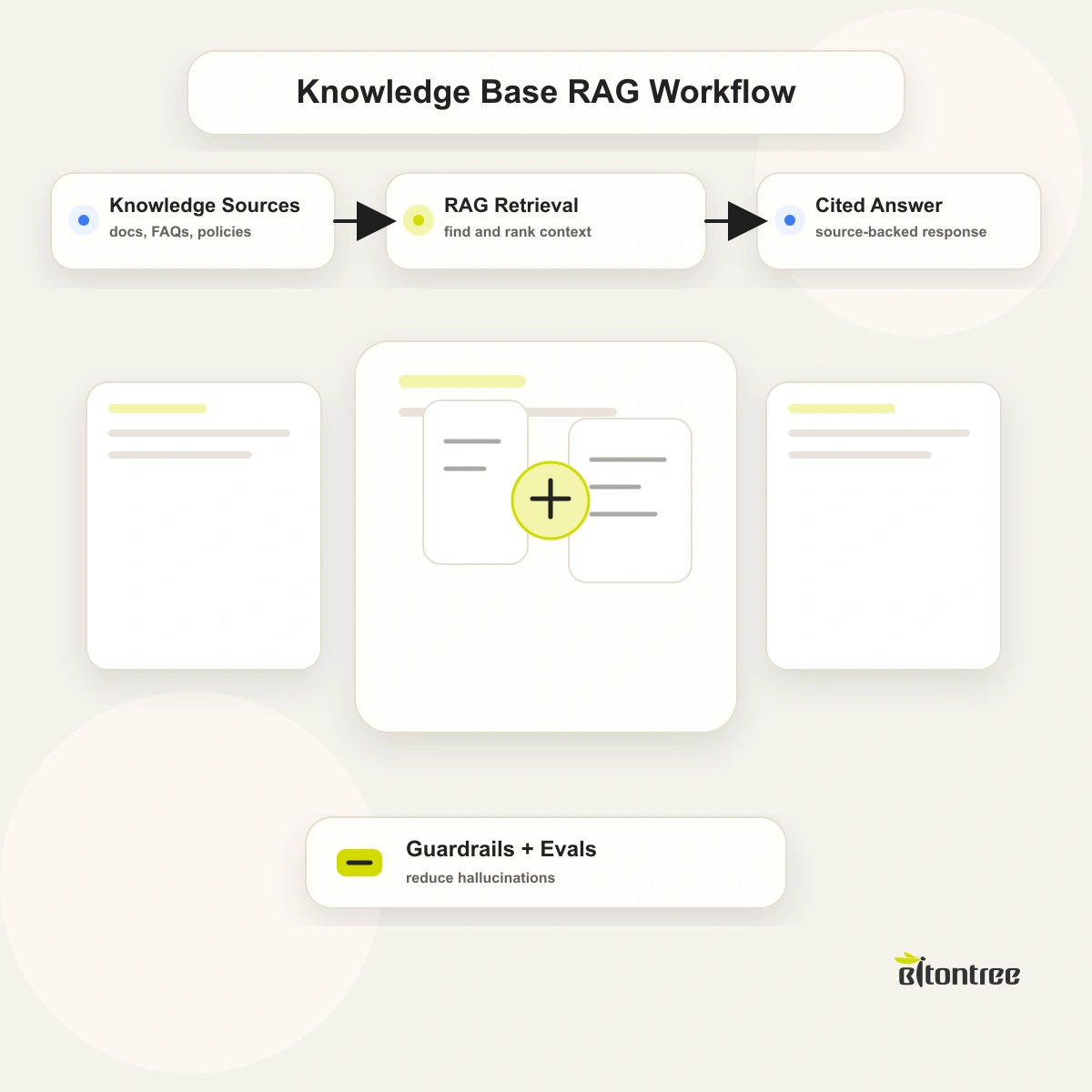
Most teams sit on a large body of knowledge, product manuals, internal policies, support documentation, technical guides, and almost none of it is easy to search. People ask the same questions repeatedly, dig through outdated wikis, or interrupt a colleague, while a generic AI chatbot is worse still: it answers confidently from training data it cannot verify, and large language models are known to hallucinate plausible but incorrect information.
An AI knowledge base chatbot solves both problems. As a document chatbot, it answers questions in natural language, but every answer is grounded in your own documentation through retrieval-augmented generation. It cites the source it used, refuses questions it has no information for, and does not invent answers.
This guide covers what an AI knowledge base chatbot is, how retrieval-augmented generation works, the use cases it handles, the benefits it delivers, which industries need it most, the technical architecture behind it, and how it gets built. Grounded, source-cited answers are what separate a usable knowledge chatbot from a confident guessing machine.
What Is an AI Knowledge Base Chatbot?
An AI knowledge base chatbot is a conversational system that answers questions using your organization's own documents as its single source of truth. As an AI chatbot for documentation, instead of relying on what a language model learned during training, it retrieves the relevant passages from your knowledge base at the moment of each question and builds its answer from those passages. The result is an assistant that knows your products, your policies, and your processes, not the open internet.
The technology that makes this possible is retrieval-augmented generation, or RAG. Rather than answering from memory, a RAG chatbot first searches your content for the passages most relevant to the question, then asks the language model to answer using only those passages. Because the answer is built from retrieved, verifiable text, the chatbot can cite exactly where each fact came from, and it can recognize when your documents contain no answer at all and say so, instead of guessing. This is the core of our RAG development services.
Why Do Businesses Need an AI Knowledge Base Chatbot?
Knowledge is only valuable when people can find and trust it. In most organizations, neither is true, and that gap quietly costs time, accuracy, and customer confidence. Here are the six ways unmanaged knowledge costs a business the most.
Staff waste hours searching for answers. Employees spend a significant share of every week looking for information that already exists somewhere, in a wiki, a manual, a policy document, or a colleague's head. McKinsey research has put that figure at close to a fifth of the work week.
Support teams answer the same questions endlessly. A large portion of support tickets are repeat questions already documented somewhere. Skilled agents spend their day re-explaining what a grounded chatbot could answer instantly, which is why Gartner expects AI to handle a growing share of customer interactions.
Generic AI chatbots hallucinate. A chatbot that answers from model training data, not your documents, will produce confident answers that are wrong, outdated, or invented. In a support or compliance context, that is a real liability.
Answers are inconsistent across the team. Two people ask the same question and get two different answers, because the knowledge lives in scattered documents and individual memory rather than one verifiable source.
Documentation goes stale and unused. Teams invest in writing manuals and policies that nobody reads, because searching them is slower than asking a person. The knowledge exists but delivers no value.
New hires take too long to get productive. Onboarding depends on senior staff answering basic questions for weeks, because there is no fast, trustworthy way for a new employee to self-serve answers.
This is a retrieval problem, not a content problem. The knowledge already exists. Industry research consistently ranks knowledge access among the highest-return AI use cases, and chatbot adoption continues to climb across business functions. A knowledge base chatbot is how a business turns documents it already owns into instant, reliable answers.
What Can an AI Knowledge Base Chatbot Do?
An AI knowledge base chatbot does far more than search. It understands a question, retrieves the right evidence, and answers with accountability. With the global knowledge management market expanding steadily, these are the seven highest-impact things it handles in production.
Answer Questions in Natural Language
Users ask in their own words, the way they would ask a knowledgeable colleague, and a document chatbot understands the intent behind the question. There is no need to guess keywords or know which document holds the answer. Whether the question is about a product feature, a return policy, or a configuration step, the chatbot interprets it and responds with a direct, readable answer.
Ground Every Answer in Your Documentation
Every answer a RAG chatbot gives is built from your own content, retrieved at the moment of the question through retrieval-augmented generation. The chatbot does not draw on the open internet or unverified model memory. It answers about your products, your policies, and your processes, so the response reflects how your business actually works, not a generic approximation.
Cite the Source of Every Answer
With each answer, the chatbot shows exactly which document, page, or section it used. Users can click through to verify the answer or read further, and trust is built in rather than assumed. Source citation also makes the chatbot auditable, which matters in support, compliance, and any setting where being able to prove where an answer came from is essential.
Refuse Out-of-Scope Questions
When your documentation contains no answer, the chatbot says so plainly instead of inventing one. It recognizes the limits of what it knows and declines questions outside its scope. This single behavior is what makes the chatbot safe to deploy: a confident wrong answer is far more damaging than an honest I do not have that information.
Reduce Hallucination Risk by Design
Because answers are constructed only from retrieved, verifiable passages, a RAG chatbot has far less room to fabricate. The retrieval step constrains the language model to your actual content, and the citation step makes any error easy to catch. Hallucination is never fully eliminated in any AI system, but a well-built RAG chatbot architecture reduces the risk by design rather than by hope.
Stay Current as Your Content Changes
When you update a policy, publish a new manual, or revise a help article, the chatbot's knowledge updates with it. Re-indexing your content keeps the chatbot accurate without retraining a model. The answers users receive always reflect the current version of your documentation, not a snapshot frozen at build time.
Deploy Across Your Support and Internal Channels
The same knowledge base chatbot can serve customers on your website or help center and work as an enterprise knowledge chatbot for employees inside tools like Slack or Microsoft Teams. One grounded knowledge layer answers both audiences, so customers self-serve accurate answers and staff stop interrupting each other for information that is already written down.
What Are the Benefits of an AI Knowledge Base Chatbot?
The business case for an AI knowledge base chatbot is concrete and measurable. Industry analysis of AI adoption consistently ranks knowledge access among the highest-return automation use cases. These are the six benefits organizations see most consistently.
Faster answers for everyone. Customers and employees get a direct answer in seconds instead of searching documents or waiting on a colleague, which returns hours of productive time across the organization.
Lower support volume. A grounded chatbot deflects the repetitive, already-documented questions that fill support queues, so agents focus on the complex cases that genuinely need a person. A large field study of generative AI in customer support measured an average 14% productivity gain for agents working alongside an AI assistant.
Trustworthy, verifiable answers. Because every answer cites its source and is grounded in your real content, users can trust it, and your team can audit it. Accuracy stops depending on who answered.
Consistency across the organization. Everyone gets the same correct answer from the same source of truth, which removes the contradictions that scattered documents and individual memory create.
Faster onboarding. New hires self-serve reliable answers from day one instead of depending on senior staff, so they reach productivity faster and experienced people stay focused.
Documentation that finally earns its keep. The manuals and policies a business already invested in become genuinely useful, because the chatbot turns hard-to-search content into instant answers.
These gains compound as your knowledge base grows. The conversational AI market is forecast for strong, sustained growth, and the grounded RAG chatbot is the fastest-growing segment because it solves the trust problem that held earlier chatbots back.
Which Industries Need an AI Knowledge Base Chatbot?
Any organization with documentation that people need to search, and a cost to getting answers wrong, benefits from an AI knowledge base chatbot. The need is strongest in these seven industries.
SaaS and technology. Software companies deploy an AI chatbot for documentation to answer product, API, and configuration questions from technical content, deflecting support tickets and helping users self-serve.
Customer support and service. Support operations use it to answer tier-one questions instantly from help-center content, with a cited source so customers and agents can both trust the answer.
Financial services and insurance. Firms use it to answer policy, product, and procedure questions from regulated documentation, where citing the source and refusing out-of-scope questions are essential.
Healthcare and life sciences. Organizations use it to make clinical protocols, administrative policies, and compliance documentation searchable, with grounded answers that staff can verify.
Manufacturing and field service. Teams use it to surface answers from equipment manuals, maintenance procedures, and safety documentation for technicians who need information fast on site.
Legal and professional services. Firms use it to retrieve answers from internal precedents, policies, and procedural documentation, with citations that make every answer traceable.
Enterprises with large internal knowledge. Large organizations deploy an enterprise knowledge chatbot across HR, IT, and operations documentation, so employees self-serve instead of filing tickets.
Whatever the industry, the chatbot connects to that organization's own documents. For a wider view, see our roundup of top RAG use cases. It is one capability within our wider AI chatbot development work, focused on grounded, retrieval-based answers.
How Does an AI Knowledge Base Chatbot Work?
An AI knowledge base chatbot turns a question into a grounded, source-cited answer through retrieval-augmented generation. It works in five stages, the first running once during setup and the rest running in real time on every question.
1. Ingestion and Indexing
Your documents, manuals, policies, help articles, and technical guides, are loaded, split into passages, and converted into vector embeddings. These embeddings are stored in a vector database, creating a searchable index of your knowledge that the chatbot can query by meaning, not just keywords.
2. Retrieval
When a user asks a question, the chatbot converts the question into the same vector form and searches the index for the passages most relevant in meaning. This retrieval step is the heart of the system: it finds the specific evidence needed to answer, rather than relying on what a model happens to remember.
3. Grounded Generation
The retrieved passages are passed to a large language model with an instruction to answer using only that content. This is retrieval-augmented generation: the model writes a fluent, natural-language answer, but it is constrained to the evidence retrieved from your documents. Our guide to how retrieval-augmented generation works covers the mechanism in more depth.
4. Citation and Scope Control
The chatbot attaches the source of each retrieved passage to its answer, so users can verify it. If retrieval finds no passage relevant enough to answer, the chatbot declines rather than guessing. This is where out-of-scope refusal and hallucination control are enforced, in line with trustworthy AI principles set out by NIST.
5. Delivery and Continuous Updating
The answer is delivered in the user's channel, a website widget, a help center, or a tool like Slack or Teams. As your documentation changes, re-indexing keeps the knowledge current, so the chatbot stays accurate without retraining a model.
The retrieval quality depends on good embeddings and a well-tuned vector search, an area of active research documented by groups such as the Stanford AI community, and getting it right is what separates a chatbot that answers accurately from one that retrieves the wrong passage.
How Does Bitontree Build an AI Knowledge Base Chatbot?
A production-grade AI knowledge base chatbot goes live within 4 to 8 weeks. Research on automation programs shows that focused, well-scoped deployments succeed far more often than broad rollouts, so we build in four stages.
Step 1: Content Audit and Use Case Mapping (Week 1)
We review your documentation, identify which content the chatbot should cover, find gaps and outdated material, and define who will use the chatbot and for what. This sets the scope and what success looks like in numbers.
Step 2: Ingestion Pipeline and RAG Architecture (Weeks 2-4)
We build the ingestion pipeline, choose the embedding model and vector database, and design the retrieval and generation logic, including how the chatbot cites sources and refuses out-of-scope questions.
Step 3: Build, Test, and Tune Retrieval (Weeks 4-6)
We build the chatbot and test it against real questions, measuring whether retrieval surfaces the right passages and whether answers are accurate and properly cited. Retrieval tuning is where most of the accuracy gains are made.
Step 4: Deployment and 30-Day Optimization (Weeks 6-8 Onward)
The chatbot goes live in your channels, and we monitor answer accuracy, citation quality, and refusal behavior, tuning retrieval for 30 days so performance keeps improving after launch.
Conclusion
Most organizations do not have a knowledge problem, they have a retrieval problem. The manuals, policies, and documentation already exist, but they are slow to search and easy to ignore, and a generic AI chatbot makes things worse by answering confidently from information it cannot verify. The fix is not more content, it is grounded retrieval. Research on AI in business shows that trustworthy, accurate AI is now a priority for adoption, and accuracy is exactly what a retrieval-augmented chatbot is built to deliver.
Bitontree builds and ships AI knowledge base chatbots tailored to your documentation and your channels. We audit your content, build the ingestion and RAG pipeline, tune retrieval until answers are accurate and properly cited, and go live within 4 to 8 weeks with a 30-day optimization period included. If your team loses time to scattered knowledge, repetitive questions, or the risk of an AI tool that hallucinates, we can build the system that turns your documents into trusted answers.
Frequently Asked Questions
What is retrieval-augmented generation in a chatbot?
Retrieval-augmented generation, or RAG, is a method where the chatbot first searches your documents for passages relevant to a question, then asks a language model to answer using only those passages. The answer is built from your verified content rather than from model training data, which is what makes it accurate and citable.
How does an AI knowledge base chatbot prevent hallucination?
It constrains the language model to answer only from passages retrieved from your documentation, and it cites the source of each answer. When no relevant passage is found, it declines instead of guessing. Hallucination is never fully eliminated, but a well-built RAG architecture reduces the risk substantially by design.
Does the chatbot cite where its answers come from?
Yes. Every answer shows the document, page, or section the chatbot used, so users can click through to verify it. Source citation makes the chatbot trustworthy and auditable, which matters in support, compliance, and any setting where proving where an answer came from is essential.
What happens when the chatbot does not know the answer?
It says so. If retrieval finds no passage in your documentation relevant enough to answer the question, the chatbot declines rather than inventing a response. This out-of-scope refusal is a core safety feature, because an honest non-answer is far safer than a confident wrong one.
What documents can an AI knowledge base chatbot use?
A document chatbot works with almost any text-based content: product manuals, internal policies, help-center articles, technical documentation, standard operating procedures, and knowledge base wikis. Knowledge base AI works with the documents you already have, so during setup this content is ingested, split into passages, and indexed for accurate retrieval.
How does the chatbot stay up to date?
When your documentation changes, the updated content is re-indexed, and the chatbot's knowledge updates with it. There is no need to retrain a model. The answers users receive always reflect the current version of your documentation rather than a frozen snapshot.
How long does it take to build an AI knowledge base chatbot?
A typical AI knowledge base chatbot goes live within 4 to 8 weeks. That includes the content audit, building the ingestion and RAG pipeline, testing and tuning retrieval against real questions, deployment, and a 30-day optimization period after launch.
Related Use Cases

AI Voice Chatbot
Build an AI voice chatbot that handles inbound and outbound calls: intent recognition, live transfers, and post-call summaries. Available 24/7, no hold times.
AI Chatbot for Appointment Booking
Build an AI chatbot that books, confirms, and reschedules appointments across web, SMS, and WhatsApp. Integrates with your calendar or CRM. Cut no-shows fast.
AI Chatbot for Customer Support
Build a customer support chatbot that resolves 70% of tickets automatically. 24/7 availability, 2-second response, CRM integration, human handoff.