


A healthcare chatbot handles appointment booking, patient triage, insurance verification, prescription refills, and post-visit follow-ups, all within HIPAA-aware infrastructure. Our healthcare deployments handle the majority of patient interactions without staff involvement and recover thousands in weekly revenue from unfilled appointment slots.
Healthcare is the most phone-dependent, staff-constrained, and compliance-heavy industry in AI chatbot deployment. Your front desk is drowning in calls. Your nurses are answering insurance questions instead of caring for patients. Your after-hours line goes to voicemail, and 35% of those callers never call back.
This guide covers what an AI chatbot for healthcare actually does, the specific use cases it handles across clinical and administrative functions, the HIPAA compliance architecture required, the measurable benefits it delivers, and how to implement one that handles the majority of patient interactions without staff involvement. Read our guide on how AI chatbots are transforming healthcare for a broader industry perspective. We also build AI chatbots for customer support and lead generation chatbots, but healthcare is where compliance, accuracy, and patient trust matter most.
What Is an AI Chatbot for Healthcare?
A healthcare chatbot is a HIPAA-aware conversational AI system that handles patient interactions, appointment scheduling, symptom triage, insurance verification, prescription refills, and post-visit follow-ups, using your actual clinical data, provider schedules, and practice policies as its knowledge base.
Unlike a patient portal that requires login, navigation, and multiple clicks, a medical chatbot holds a real conversation. A patient says “I need to see Dr. Patel next Tuesday afternoon” and the bot checks the provider’s calendar in real time, offers available slots, confirms the booking, sends an SMS confirmation, and schedules a reminder, in a single 90-second interaction.
Modern healthcare chatbots are built on four core technologies:
Large language models (LLMs): Large language models (LLMs) like GPT-4o, Anthropic Claude, or Meta Llama that understand patient questions in natural language and generate contextual, empathetic responses.
Retrieval-augmented generation (RAG): Retrieval-augmented generation (RAG) pipelines built on LangChain with vector databases like Pinecone or Weaviate that ground every response in your practice’s actual clinical guidelines, provider directories, insurance accepted lists, and patient education materials, preventing hallucination.
EHR and practice management system integration: EHR and practice management system integration with Epic, Cerner, Athenahealth, DrChrono, eClinicalWorks, and Nextech that lets the bot read provider schedules, verify insurance eligibility, pull patient records (with proper authorization), and create appointments in real time.
HIPAA-aware infrastructure: HIPAA-aware infrastructure with BAA-covered cloud, end-to-end encryption, PHI handling procedures, PII redaction before LLM processing, role-based access controls, and complete audit trails for every patient interaction.
The result is a patient-facing AI system that handles the administrative burden of healthcare, so your clinical staff can focus on clinical work.
Why Healthcare Needs AI Chatbots
Healthcare automation is not about replacing clinicians. It is about removing the administrative wall between patients and the care they need.
The phone burden problem
A 10-provider practice receives 200-400 calls per day. Front desk staff handle 4-6 calls simultaneously while checking in patients, verifying insurance, and managing the waiting room. 30-40% of calls go unanswered or to voicemail during peak hours (Elation Health, 2025). Every missed call is a missed appointment, a frustrated patient, or a new patient who goes to a competitor.
The no-show problem
The average no-show rate across US healthcare practices is 18-23% (SCI Solutions). Each no-show costs the practice $150-200 in lost revenue. For a practice with 100 appointments per day, that is $2,700-4,600 in daily lost revenue. Automated reminders with easy one-tap rescheduling are the single most effective intervention, recovering $5,000-15,000 per week for a typical multi-provider practice.
The after-hours access problem
Patients do not get sick on a schedule. 40% of calls to medical practices arrive outside business hours (Updox). Prospective patients searching for a new provider at 9 PM get voicemail, and 35% of them never call back; they find a practice that answers. An AI chatbot handles after-hours inquiries with full scheduling capability, turning voicemail into booked appointments.
The staff burnout problem
Healthcare administrative staff turnover is 40% annually (MGMA). Burnout is the primary driver. Staff spend their day on the phone answering repetitive questions: directions, accepted insurance, appointment availability, prescription refill status, instead of the patient-facing work they signed up for. When a chatbot absorbs the bulk of those routine calls, staff do meaningful work. Burnout drops. Turnover follows.
The compliance complexity problem
Every patient interaction involves protected health information. Every system that touches PHI must meet HIPAA requirements. This makes healthcare the most technically demanding vertical for chatbot deployment, and the one where most vendors fail. A chatbot that is not built on HIPAA-aware infrastructure from day one is a liability, not a solution.
In short: 30-40% of patient calls go unanswered, no-shows cost $150-200 each, 40% of calls arrive after hours, administrative staff turnover is 40% annually, and every interaction must be HIPAA-aware. A healthcare chatbot solves the first four while meeting the requirements of the fifth.
Key Use Cases of AI Chatbots in Healthcare
An AI chatbot for healthcare goes far beyond answering “are you accepting new patients?” Here are the specific use cases that production deployments handle across clinical and administrative functions.
Appointment Scheduling, Rescheduling, and Cancellation
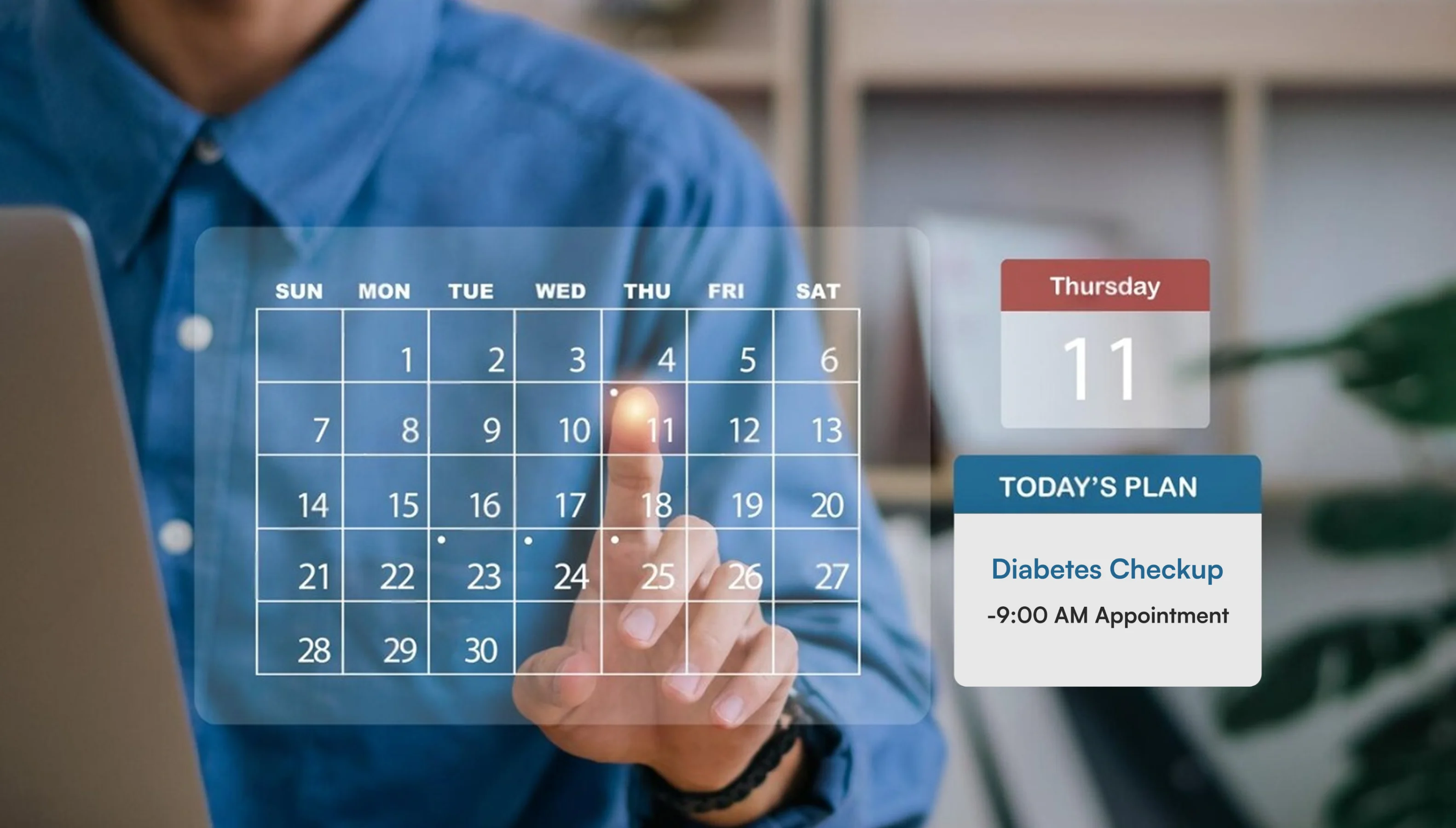
The chatbot checks provider availability in real time from your EHR or practice management system, offers open slots that match the patient’s preferences, confirms the booking, sends SMS/email confirmation, and schedules automated reminders at 48 hours and 2 hours before the appointment. Patients reschedule or cancel through the same conversation. No phone call. No hold time. No front desk involvement.
Best for: Multi-provider clinics, dental practices, and specialty groups where appointment calls account for 40-60% of total phone volume.
Automated Patient Intake
New patients complete intake forms through guided conversation before they arrive: demographics, medical history, current medications, allergies, insurance information, and consent forms. The data populates directly into your EHR. No clipboards. No data entry. No illegible handwriting. The patient walks in and goes straight to care.
Best for: Practices with high new patient volume and staff spending 15-20 minutes per intake on manual data entry.
Symptom Triage and Care Navigation
The patient triage chatbot asks structured clinical questions based on evidence-based triage protocols (Schmitt-Thompson or custom), assesses symptom severity, and routes the patient to the appropriate level of care: self-care instructions, telehealth appointment, in-person visit, or emergency department. This is not diagnosis; it is structured routing that helps patients get to the right care faster.
Best for: Urgent care networks, nurse triage lines, and health systems looking to reduce unnecessary ED visits.
Insurance Verification and Eligibility Checks

The chatbot verifies insurance coverage before the patient arrives by collecting plan details and checking eligibility through payer APIs or clearinghouse integrations. Patients know their copay, deductible status, and whether their provider is in-network before they walk in the door. Front desk staff stop spending 8-12 minutes per patient on verification phone calls.
Best for: Practices where insurance verification consumes 1-2 hours of front desk time daily.
Prescription Refill Requests
Patients request refills through conversation. The chatbot captures the medication name, dosage, pharmacy preference, and any changes since the last refill. It creates a structured refill request in your EHR for provider approval and notifies the patient when the prescription is sent to the pharmacy. No phone tag between patient, front desk, provider, and pharmacy.
Best for: Primary care, chronic disease management, and any practice where refill calls represent 15-25% of daily phone volume.
Post-Visit Follow-Up and Care Instructions
After an appointment, the chatbot sends personalized follow-up messages: post-procedure care instructions, medication reminders, wound care guidance, physical therapy exercises, and return-visit scheduling. It checks in at day 1, day 3, and day 7 to monitor recovery and flag any concerning symptoms for clinical review.
Best for: Surgical practices, orthopedics, and any practice where post-visit compliance directly impacts outcomes.
Patient FAQ and Practice Information
Directions, parking, accepted insurance plans, provider bios, office hours, telehealth availability, COVID protocols, new patient requirements; the chatbot answers all of these from your practice’s knowledge base using RAG. These questions account for 20-30% of total call volume and require zero clinical expertise to answer.
Best for: Every healthcare practice. This is the lowest-risk, highest-volume use case and the best starting point.
Appointment Reminders and No-Show Reduction
The chatbot sends automated reminders via SMS, WhatsApp, or phone call at 48 hours and 2 hours before the appointment. Patients can confirm, reschedule, or cancel with a single reply. When a cancellation opens a slot, the chatbot can notify patients on the waitlist and fill the gap automatically.
Best for: Practices with no-show rates above 15% and revenue loss from unfilled appointment slots.
Mental Health Intake and Screening
Mental health practices face a unique challenge: patients often find it easier to share sensitive information through text than over the phone. A mental health chatbot conducts initial intake with validated screening instruments (PHQ-9, GAD-7), collects relevant history in a non-judgmental conversational format, and routes patients to the appropriate provider based on severity and specialization.
Best for: Mental health clinics, behavioral health practices, and EAP providers handling high intake volume.
Patient Satisfaction Surveys
Post-visit CSAT surveys via chatbot get 3-5x higher completion rates than email surveys. The chatbot reaches out 24-48 hours after the visit, asks 2-3 targeted questions through natural conversation, captures open-ended feedback, and routes negative scores for immediate practice manager follow-up. The data feeds your quality improvement dashboard in real time.
Best for: Practices measuring patient experience scores for quality reporting, MIPS, or competitive benchmarking.
How a Healthcare AI Chatbot Works: The Patient Journey
Here is what happens when a patient interacts with your chatbot, explained through how a healthcare chatbot works as a real patient experience, not a backend engineering diagram. See our AI Clinical Chat Assistant for a live example of this in production.
Step 1: Patient reaches out on any channel
A patient texts your practice number, opens the chat on your website, messages on WhatsApp, or calls your office line. It does not matter which channel, the chatbot picks up instantly. If a patient starts a conversation on your website at 2 PM and follows up via SMS at 8 PM, the chatbot remembers the context and picks up where they left off.
Step 2: Chatbot understands what they need
“I need to see Dr. Patel next Tuesday afternoon.” “Can I get a refill on my blood pressure meds?” “Do you take Aetna?” The chatbot figures out what the patient wants (appointment, refill, insurance question, triage, directions) regardless of how they phrase it. Medical terminology, abbreviations, and casual language all work.
Step 3: Chatbot verifies the patient’s identity
For interactions that involve personal health data (appointment history, medication lists, insurance details), the chatbot verifies the patient’s identity through date of birth, medical record number, or a secure authentication link. This is a HIPAA requirement: the bot must confirm who it is talking to before sharing any protected health information. General questions like directions, accepted insurance, and office hours skip this step entirely.
Step 4: Chatbot pulls the right information
The chatbot checks your systems in real time. Appointment request? It pulls Dr. Patel’s open slots from Epic, Cerner, or Athenahealth. Insurance question? It checks the accepted plans list or verifies eligibility via payer API. Refill request? It pulls the medication list. Policy question? It retrieves the answer from your practice’s documents using retrieval-augmented generation. The patient gets their specific answer, not a generic one.
Step 5: Patient data is protected before processing
Before any patient information reaches the language model, protected health information is stripped out. The LLM never sees raw names, dates of birth, medical record numbers, or clinical details. The original data stays in your HIPAA-aware EHR. This is built into the pipeline, not added afterward. Read our deep dive on patient data privacy in healthcare chatbots for the technical details.
Step 6: Chatbot responds and takes action
The chatbot does not just answer, it acts. It books the appointment and sends a confirmation. It submits the refill request to the provider for approval. It sends post-visit care instructions with a follow-up reminder. It collects intake forms and populates your EHR. Every action is confirmed with the patient before it executes, and every action is audit-logged for HIPAA compliance.
Step 7: If clinical attention is needed, the patient is routed instantly
Not everything can be automated. When the chatbot detects clinical urgency (symptom severity above threshold, a patient requesting a nurse, or a question outside its scope), it routes the conversation to the right clinical team member with the full transcript and triage context. The patient never has to repeat themselves. For true emergencies, the bot instructs the patient to call 911 immediately and alerts your on-call staff.
Benefits of AI Chatbots for Healthcare
Here is what actually changes when a healthcare practice deploys an AI chatbot for healthcare, not in theory, but in the first 90 days of production.
Your front desk stops being a phone bank
Right now, your front desk staff spend 60-70% of their day on the phone (booking appointments, answering insurance questions, giving directions, and taking prescription refill messages). That is not what front desk staff are for. When the chatbot handles the phone-automatable calls, your front desk focuses on the patients standing in front of them: greeting, checking in, collecting copays, and creating the in-office experience that drives patient retention.
Your no-show rate drops without chasing patients
No-shows cost $150-200 per empty slot. Automated reminders at 48 hours and 2 hours before the appointment, with one-tap confirm or reschedule, consistently reduce no-show rates by 35-50%. When a cancellation opens a slot, the chatbot notifies waitlisted patients and fills the gap. No more end-of-day revenue holes that nobody saw coming.
Your patients get access at 9 PM, not just 9 AM
40% of patient calls arrive outside office hours. Prospective patients searching for a new provider at night get voicemail, and 35% never call back. After deploying 24/7 chatbot coverage, those after-hours interactions turn into booked appointments instead of lost patients. The growth does not come from more marketing spend, it comes from answering the inquiries that were already happening but going to voicemail.
Your clinical staff stops doing administrative work
Nurses answering insurance questions. Medical assistants playing phone tag for refill requests. Providers interrupted mid-clinic to approve routine prescription renewals. When the chatbot handles intake, insurance verification, refill collection, and follow-up messaging, clinical staff do clinical work. Patient throughput increases because the clinic runs on care, not on callbacks.
Your patient intake goes from 20 minutes to 2 minutes
New patient intake with a clipboard takes 15-20 minutes of waiting room time plus 8-12 minutes of staff data entry. Pre-visit chatbot intake collects everything digitally before the patient arrives and populates your EHR directly. The patient walks in and goes straight to care. Staff stop deciphering handwriting and manually entering demographics.
Every patient interaction becomes operational intelligence
When patients call, the data disappears into voicemail and hold queues. When they interact with the chatbot, every question is logged, categorized, and analyzed. You can see which services generate the most inquiries, which insurance questions confuse patients, which appointment types have the highest no-show rates, and which hours produce the most after-hours demand. This data drives staffing decisions, marketing strategy, and operational improvements.
How We Build HIPAA-Aligned Healthcare Chatbots
HIPAA compliance is not something we bolt on at the end. Here is what we build into the foundation of every healthcare deployment.
We deploy on BAA-covered infrastructure only
We run every healthcare chatbot on cloud infrastructure covered by a Business Associate Agreement (BAA). AWS, Azure, or GCP, whichever your practice uses. We configure the deployment to use only BAA-covered compute, storage, and networking. No patient data ever touches a non-BAA system. We sign a BAA with every healthcare client before any development begins.
We redact patient data before it reaches the AI model
We strip all protected health information before it reaches the language model. The LLM never sees raw patient names, medical record numbers, SSNs, or clinical details. We use tokenized references for patient identification within the conversation. The original PHI stays in your HIPAA-aware EHR, not in our system. Read our guide on patient data privacy in healthcare chatbots for the full technical breakdown.
We encrypt everything, end to end
We encrypt all data in transit (TLS 1.2+) and at rest (AES-256). Patient conversations are encrypted from the patient’s device to the chatbot server to your EHR. No unencrypted patient data exists at any point in our pipeline.
We enforce role-based access and log every interaction
We configure role-based access controls that determine who on your team can view conversation logs, patient data, and analytics. We log every access event and audit-trail every patient interaction with timestamps, user identification, actions taken, and data accessed. These logs are retained per your compliance policy and are ready for HIPAA audit review whenever you need them.
We limit data access to only what each interaction needs
We scope every interaction to the minimum data required. Booking an appointment? The bot accesses the schedule, not the patient’s medical history. Refill request? The medication list, not the full chart. We define access scope per use case and enforce it technically, not by policy alone.
Healthcare Practice Types Using AI Chatbots
A healthcare chatbot looks different in a multi-specialty group than it does in a solo dental practice. Here is what deployments handle across practice types.
Multi-Provider Primary Care Clinics
- Appointment scheduling across 5-50+ providers with specialty and availability matching
- Insurance verification and eligibility checks before patient arrival
- Prescription refill request intake and pharmacy coordination
- Chronic disease management reminders (diabetes check-ups, blood pressure monitoring, annual screenings)
- New patient intake with automated EHR data population
- One 12-provider clinic: 200+ appointments automated nightly, no-shows reduced from 28% to 12%
Dental Practices
- Hygiene recall scheduling with automated 6-month reminders
- Treatment plan follow-up for patients who received estimates but have not scheduled
- Insurance benefits verification and coverage explanation for major procedures
- Post-procedure care instructions for extractions, implants, and root canals
- New patient intake with dental history, X-ray transfer coordination, and insurance capture
- One group practice: no-show rate dropped from 22% to 9% within 90 days of deployment
Mental Health and Behavioral Health Providers
- Confidential intake with PHQ-9, GAD-7, and custom screening instruments via chat
- Provider matching based on specialization, availability, insurance, and patient preference
- Appointment reminders with sensitive, non-clinical messaging that respects patient privacy
- Crisis resource routing for patients expressing suicidal ideation or self-harm, immediate escalation to crisis protocols
- Waitlist management for practices with 4-8 week wait times for new patients
- Reduces intake time from 25 minutes to 8 minutes per new patient while improving data completeness
Urgent Care and Walk-In Clinics
- Wait time estimates pulled from your queue management system in real time
- Pre-registration that captures demographics, insurance, and chief complaint before arrival
- Symptom assessment that helps patients decide between urgent care, ER, and primary care
- Post-visit follow-up with care instructions and primary care referral coordination
- Multi-location availability showing which clinics have the shortest wait times
- Reduces average front desk check-in time from 12 minutes to under 3 minutes
Specialty Practices (Orthopedics, Dermatology, Ophthalmology)
- Procedure-specific intake with condition history, imaging coordination, and pre-op instructions
- Post-surgical follow-up sequences with recovery milestones and red-flag symptom monitoring
- Referral intake from primary care providers with automatic chart request coordination
- Insurance prior authorization status tracking and patient notification
- Elective procedure inquiry handling with cost estimates and financing information
- One orthopedic practice: 45% reduction in post-op call volume through automated follow-up messaging
Health Systems and Hospital Networks
- Enterprise-wide appointment scheduling across hundreds of providers and multiple facilities
- Patient navigation for finding the right specialist, location, and available time across the network
- Centralized patient FAQ handling for system-wide policies, visiting hours, parking, and billing
- Population health outreach for preventive screenings, vaccination campaigns, and chronic disease management
- Integration with Epic MyChart, Cerner Patient Portal, and custom patient engagement platforms
- Scales from one department to the entire health system with unified conversation history across facilities
AI Chatbot vs. Patient Portal vs. Phone System
| Feature | Phone System | Patient Portal | AI Healthcare Chatbot |
|---|---|---|---|
| Response time | 3-15 min hold + call time | Self-service, but 5+ clicks | Under 2 seconds, conversational |
| Availability | Business hours only | 24/7 but login required | 24/7, no login, any channel |
| Appointment booking | Phone call + hold | Click through calendar UI | Natural conversation, 90 seconds |
| Insurance verification | 8-12 min per patient | Not typically available | Automated via payer API |
| Patient intake | Clipboard in waiting room | Online forms (low completion) | Conversational, pre-visit, auto-EHR |
| After-hours access | Voicemail | Available but underused | Full capability, same as daytime |
| Staff time per interaction | 5-12 minutes | Minimal (self-service) | Zero for automated interactions |
| HIPAA compliance | Inherent (phone) | Portal-level security | BAA infrastructure, PHI redaction, audit trails |
| Patient preference | Older demographics | Tech-savvy patients | All demographics, any channel |
| No-show reduction | Manual reminder calls | Portal reminders (low engagement) | Automated SMS/chat, 35-50% reduction |
In summary: A healthcare chatbot is not a replacement for your patient portal or phone system it is the conversational layer that sits in front of both. It handles what the portal makes too complicated and what the phone makes too slow. The optimal setup: chatbot for first-touch patient interactions, portal for ongoing record access, phone for complex clinical conversations.
Common Challenges in Healthcare Chatbot Deployment and How We Solve Them
Deploying an AI chatbot for healthcare carries higher stakes than any other vertical. Wrong answers have clinical consequences. Compliance failures have legal consequences. Here are the five most common challenges and how we address each one.
Challenge 1: The chatbot gives incorrect medical information
Healthcare is zero-tolerance for hallucination. A chatbot that tells a patient they can stop their medication, misquotes a dosage, or provides incorrect post-surgical instructions creates a clinical safety issue and a malpractice risk. General-purpose LLMs are not trained on your practice’s specific protocols.
How Bitontree solves this: The chatbot is not a clinical decision tool. It retrieves information from your approved clinical content, patient education materials, and practice policies using RAG not from the LLM’s general medical training. For clinical questions beyond its scope, it explicitly states “I cannot provide medical advice” and routes to your clinical staff. Response confidence scoring ensures the bot only answers when retrieval confidence is above threshold. Hallucination rates stay below 2% across our healthcare deployments.
Challenge 2: HIPAA compliance is not properly implemented
Many chatbot vendors claim HIPAA compliance but run on non-BAA infrastructure, send PHI to third-party LLMs without redaction, store conversation logs without encryption, or lack proper audit trails. A HIPAA violation can cost $100-$50,000 per incident, up to $1.5 million per year per violation category.
How Bitontree solves this: We have built multiple HIPAA-aware chatbot deployments. Our architecture includes BAA-covered cloud infrastructure, PHI redaction before LLM processing, end-to-end encryption (TLS 1.2+ in transit, AES-256 at rest), role-based access controls, minimum necessary access per use case, and complete audit trails. We sign a BAA with every healthcare client. We know what passes a compliance review because we have been through them.
Challenge 3: Patients do not trust a chatbot with health information
Patients are protective of their health information rightfully so. If a chatbot feels impersonal, insecure, or unclear about what it does with their data, patients will refuse to use it and call the office anyway, negating the entire investment.
How Bitontree solves this: The chatbot introduces itself transparently as an AI assistant, explains what information it will collect and why, and states that conversations are encrypted and HIPAA-protected. It offers human escalation at every step. The tone is warm, empathetic, and patient not clinical or robotic. We A/B test messaging and tone with real patients during pilot deployment. Adoption rates consistently reach 65-75% within 60 days when the trust signals are right.
Challenge 4: The chatbot cannot integrate with our EHR
Healthcare runs on EHR systems that are notoriously difficult to integrate with. Epic, Cerner, Athenahealth, eClinicalWorks each has different APIs, authentication models, and data formats. A chatbot that cannot read your schedule or write to your patient records is just a fancy FAQ page.
How Bitontree solves this: We have built integrations with Epic (via FHIR R4 and Open.Epic), Cerner (Millennium APIs), Athenahealth (athenaClinicals API), DrChrono, eClinicalWorks, and Nextech. We also integrate with clearinghouses for insurance verification, pharmacy systems for refill coordination, and practice management platforms for scheduling. Every integration includes error handling, fallback behavior, and HIPAA-aware data logging.
Challenge 5: The chatbot cannot handle clinical urgency appropriately
A patient describing chest pain needs a fundamentally different response than one asking about parking. If the chatbot misses urgency signals or fails to escalate appropriately, the consequences can be severe. This is the highest-stakes challenge in healthcare AI.
How Bitontree solves this: We implement clinical urgency detection that identifies emergency keywords, symptom patterns, and severity indicators. When urgency is detected, the bot immediately instructs the patient to call 911 or go to the nearest emergency department, then routes the conversation to your on-call clinical staff with full context. Urgency rules are defined in collaboration with your clinical team and tested against hundreds of simulated scenarios before deployment.
How We Implement an AI Chatbot for Healthcare
Here is how we implement a healthcare chatbot correctly the process that makes the difference between a system that handles 200 patient interactions nightly and an expensive chat widget that patients ignore.
Step 1: Healthcare operations audit
Analyze your call volume, call types, no-show rates, intake processing time, and after-hours inquiry patterns. Identify the top 20 patient interaction types by volume and staff time consumed. Map which interactions can be fully automated, which need EHR integration, and which must always involve clinical staff. Define measurable success metrics: call deflection rate, no-show reduction, staff hours saved, patient satisfaction.
Step 2: HIPAA compliance architecture
Before building any features, establish the compliance foundation: BAA-covered infrastructure, PHI handling procedures, encryption standards, access control policies, and audit logging. This is not a step you do at the end. It is the foundation everything else builds on.
Step 3: Knowledge base and RAG pipeline
Ingest your practice policies, patient education materials, provider directories, insurance accepted lists, FAQ content, and clinical guidelines into the retrieval-augmented generation pipeline. Document chunking, embedding generation, vector storage in Pinecone or Weaviate, and retrieval logic in LangChain. Test accuracy against 200+ real patient queries.
Step 4: EHR and system integration
Connect to your EHR (Epic, Cerner, Athenahealth), practice management system, insurance verification platform, pharmacy integration, and communication channels. Every integration includes HIPAA-aware authentication, minimum necessary access, error handling, and audit logging.
Step 5: Clinical conversation design
Design every conversation path for healthcare context. Appointment booking flows. Triage protocols. Refill request flows. Escalation triggers for clinical urgency. Empathetic tone calibration. Non-diagnostic language guardrails. This is not generic chatbot design it is clinical communication design that requires input from your medical staff.
Step 6: Testing and compliance review
Clinical accuracy testing against real patient scenarios. Hallucination testing with adversarial medical questions. PHI redaction verification. HIPAA compliance audit. Urgency detection testing. EHR integration testing. Load testing at peak call volume. Security penetration testing. This phase is more extensive than any other vertical because the stakes are higher.
Step 7: Phased deployment
Start with the lowest-risk, highest-volume use case typically appointment booking or patient FAQ. Deploy to one location first. Monitor resolution rates, patient satisfaction, and clinical staff feedback for 2-4 weeks. Expand to additional use cases and locations. Weekly performance reviews for 90 days with clinical oversight.
Frequently Asked Questions
What is an AI chatbot for healthcare?

A healthcare chatbot is a HIPAA-aware conversational AI system that handles patient interactions appointment scheduling, insurance verification, symptom triage, prescription refills, and post-visit follow-ups using your actual provider schedules, clinical guidelines, and practice policies as its knowledge base. It resolves the majority of administrative patient interactions without staff involvement.
Is it HIPAA-aware?
Yes. Our healthcare deployments run on BAA-covered cloud infrastructure with PHI redaction before LLM processing, end-to-end encryption (TLS 1.2+ in transit, AES-256 at rest), role-based access controls, minimum necessary access, and complete audit trails. We sign a BAA with every healthcare client.
Can it integrate with our EHR?
Yes. We integrate with Epic (FHIR R4, Open.Epic), Cerner (Millennium APIs), Athenahealth, DrChrono, eClinicalWorks, Nextech, and custom systems. The bot reads provider schedules, verifies insurance, accesses patient records with proper authorization, and writes appointments back to your system in real time.
How much does a healthcare chatbot cost?
Cost depends on scope: the integrations, channels, data sources, and compliance requirements involved. We scope every engagement against your stack and give you a clear plan and timeline after a free AI fit assessment, before any commitment.
Does the chatbot provide medical advice?
No. The chatbot is an administrative and navigation tool, not a clinical decision system. It handles scheduling, intake, insurance, refills, and care instructions from your approved content. For clinical questions, it routes to your clinical staff. For symptom triage, it uses evidence-based protocols (Schmitt-Thompson) to route patients to the appropriate level of care not to diagnose.
How does it reduce no-shows?
Automated reminders via SMS and WhatsApp at 48 hours and 2 hours before the appointment, with one-tap confirm or reschedule. When cancellations open slots, the chatbot notifies waitlisted patients. Our deployments consistently reduce no-show rates by 35-50%.
Can patients use it on WhatsApp and SMS?
Yes. We deploy across your website, patient portal, SMS, WhatsApp Business API, and phone (via voice AI). Patients use whatever channel they prefer. Conversation context is unified across channels.
How long does deployment take?
A starter deployment takes 6-8 weeks. Multi-function with EHR integration takes 8-12 weeks. Enterprise health system deployments take 12-16 weeks. The extended timelines compared to other verticals reflect the compliance architecture, clinical conversation design, and EHR integration complexity required in healthcare.
What happens in a medical emergency?
The chatbot detects emergency keywords and urgency patterns. When triggered, it immediately instructs the patient to call 911 or go to the nearest emergency department. Simultaneously, it routes the conversation to your on-call clinical staff with full context. Emergency detection rules are defined with your clinical team and tested extensively before deployment.
Will patients actually use it instead of calling?
Adoption rates reach 60-70% within 90 days when deployed across SMS and web because patients prefer getting an answer in 2 seconds over waiting on hold for 8 minutes. Older patients who prefer phone calls are served by our voice AI chatbot, which provides the same conversational experience through spoken language.
Related Use Cases

AI Chatbot for Appointment Booking
Build an AI chatbot that books, confirms, and reschedules appointments across web, SMS, and WhatsApp. Integrates with your calendar or CRM. Cut no-shows fast.
AI Voice Chatbot
Build an AI voice chatbot that handles inbound and outbound calls: intent recognition, live transfers, and post-call summaries. Available 24/7, no hold times.
AI Knowledge Base Chatbot
Build a RAG chatbot that turns your docs into instant, accurate answers. This AI knowledge base chatbot cites every source and refuses out-of-scope questions.